
HOW TO WATCH IPTV ON WINDOWS
WINDOWS IPTV PLAYER is the best player for windows.
1 – Download WINDOWS IPTV PLAYER
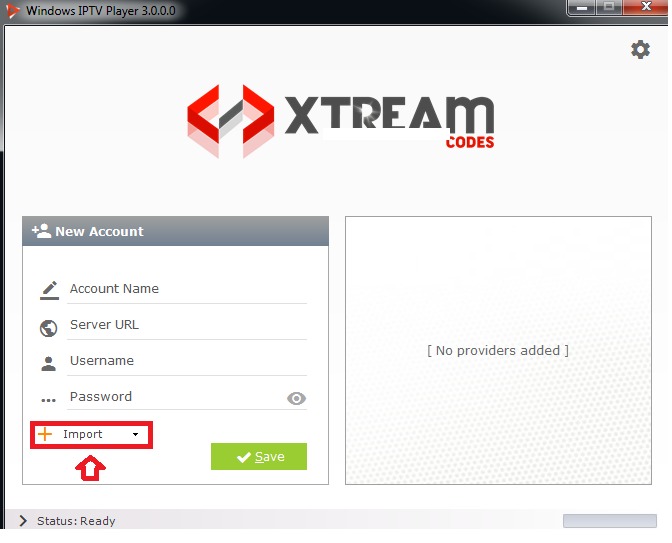
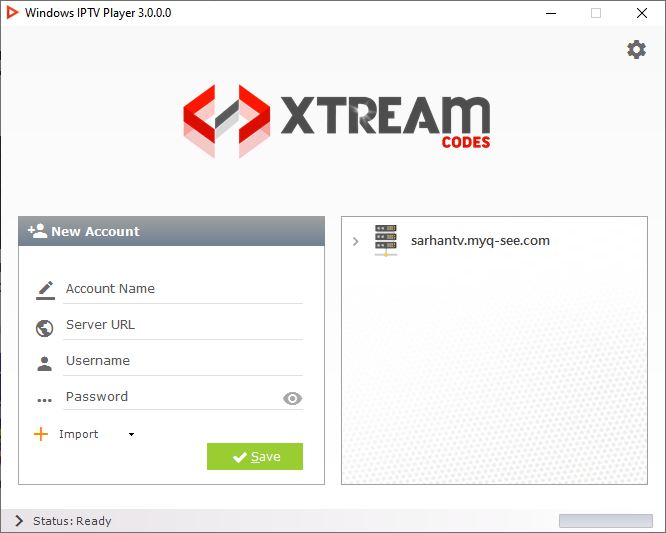
2 – Install it on your computer and open it; after open it. Now press Import (see image below)
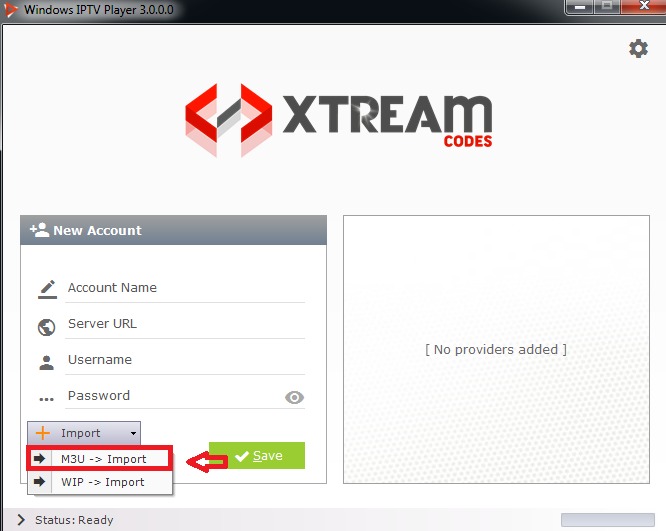
3. There you choose the choice m3u import according to (see picture below)
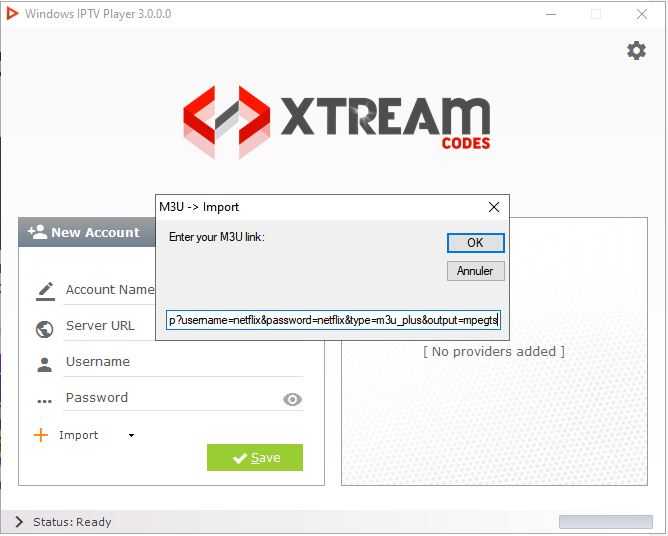
4. Now a box will appear where you must enter the m3u link that you received from us after your order, then you press OK (see picture below)
5. Now you will see that your information is filled in and you should click on the box called “Save”
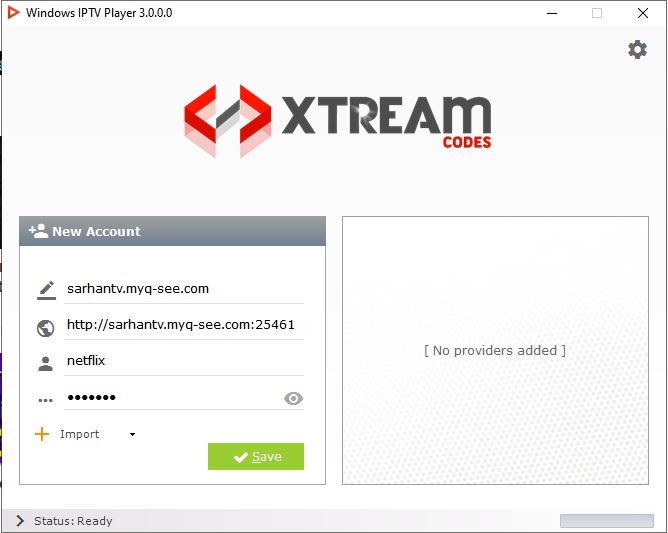
6. Now you should see the server added in the box to the right, click on it and your IPTV will work. (see picture below)
Have question?
Not sure exactly what to do or just want clarification? We will be happy to chat with you and clear things up for you. Anytime!
[/col_inner_10] [/row_inner_10] [/col_inner_9] [/row_inner_9] [/col_inner_8] [/row_inner_8] [/col_inner_7] [/row_inner_7] [/col_inner_6] [/row_inner_6] [/col_inner_5] [/row_inner_5] [/col_inner_4] [/row_inner_4] [/col_inner_3] [/row_inner_3]