
How to install IPTV on iphone / Tablet
GSE Smart IPTV app is available for iPhone,iPad, tvOS, and Mac OS X. You can download it from the App store.
Download for iPhone / Tablet :
Download for Apple TV :
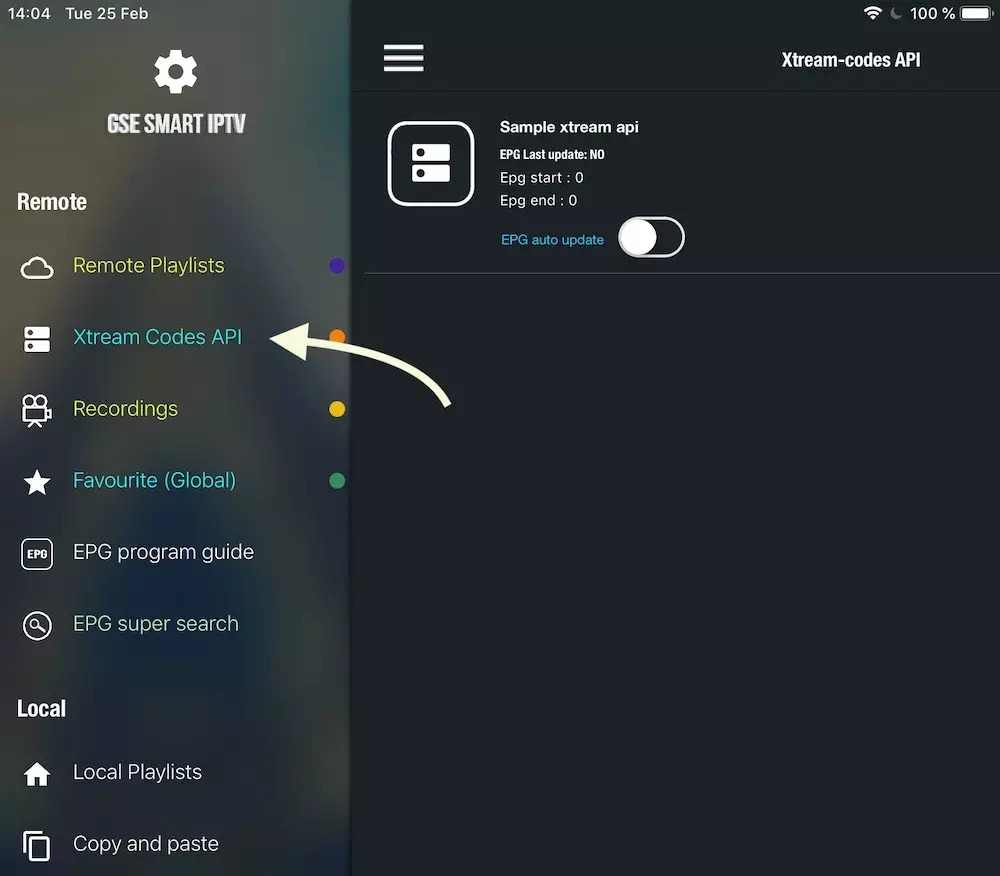
1- Navigate to XTREAM CODES API
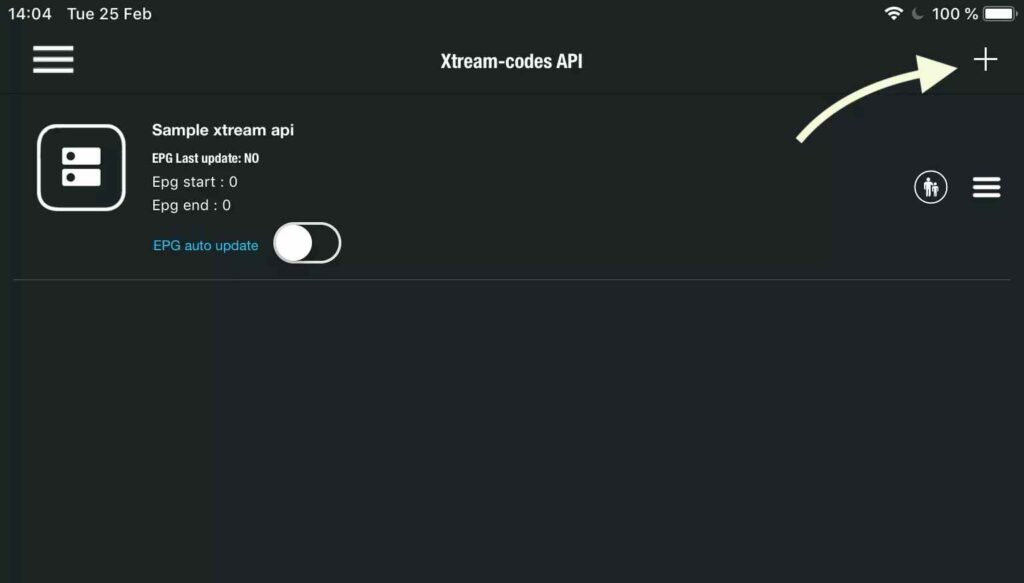
2- Press + icon to add new XTREAM CODES list
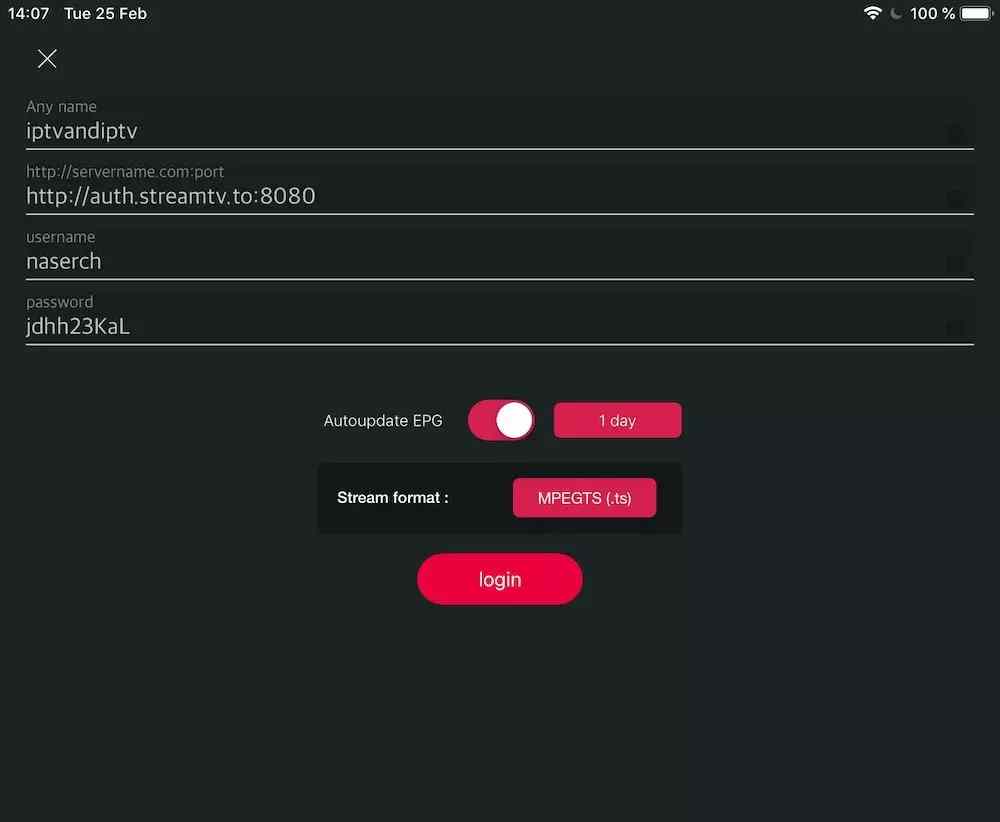
3- Enter Xtream based details
For the first field Choose a name for your list (it can be any name ), Then enter your username, password and URL we provided to you Turn ON Autoupdate EPG and click LOGIN
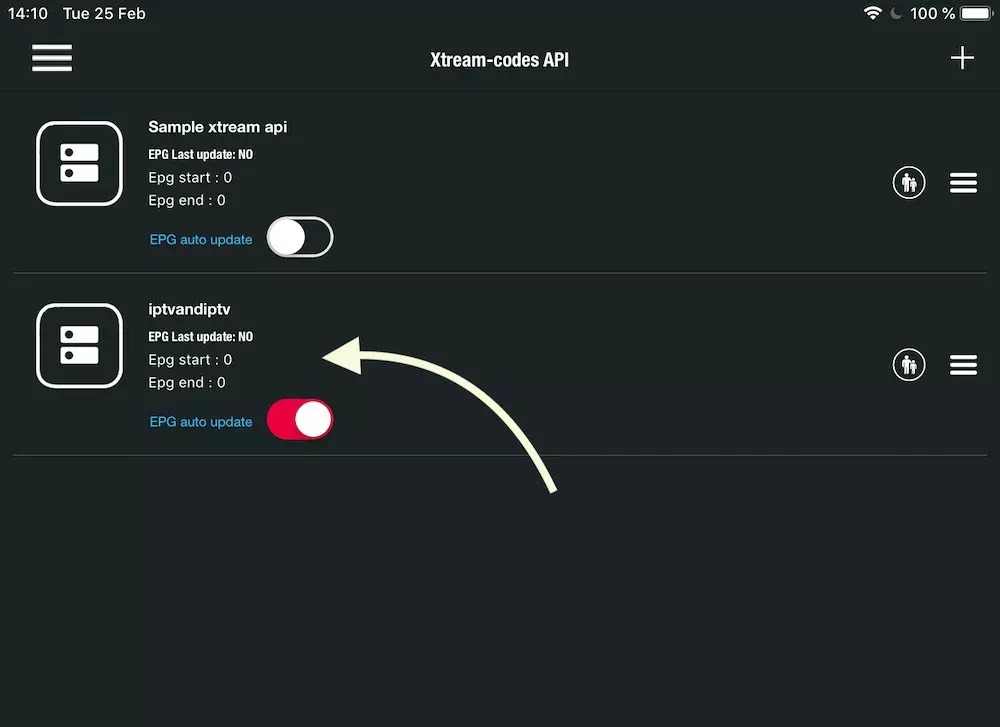
4- Enter the created list and watch movies and live TV channels
Have question?
Not sure exactly what to do or just want clarification? We will be happy to chat with you and clear things up for you. Anytime!